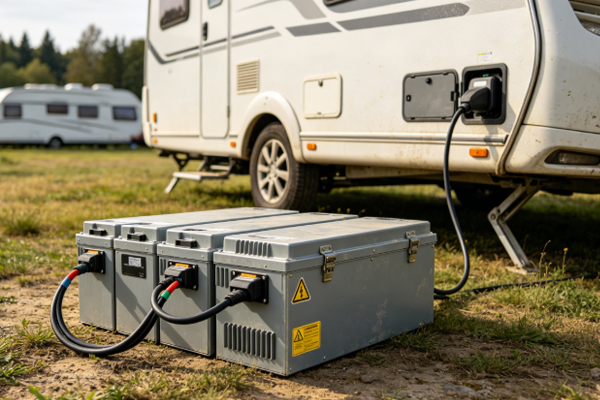
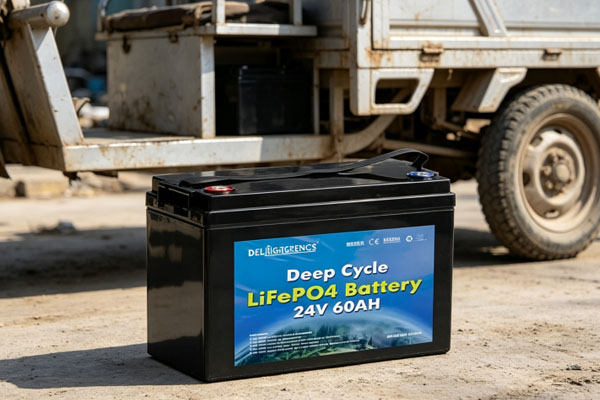
24V LiFePO4 battery packs are widely used in RVs, solar energy storage systems, low-speed electric vehicles, marine equipment, backup power supplies, and various DC power supply systems. Under normal conditions, the battery pack can provide stable voltage and a long cycle life. However, after long-term use, problems such as failure to charge, failure to discharge, abnormal voltage, reduced capacity, BMS protection, and sudden equipment power loss may occur. When these problems arise, if there is no clear troubleshooting sequence, it is easy to replace the battery or charger directly without actually identifying the cause of the failure. A 24V LiFePO4 battery pack usually consists of multiple cells connected in series and is equipped with a BMS battery management system, connecting wires, fuse protection, and external charging and discharging interfaces.
Therefore, when a battery pack malfunctions, the problem may not necessarily come from the cells themselves. It could also be caused by incorrect charger parameters, loose wiring, poor connector contact, BMS protection, or abnormal individual cell voltage. During troubleshooting, you should start with the external equipment and wiring, then gradually check the condition of the battery pack to avoid directly disassembling the battery without confirming the cause. Basic diagnosis can be performed by observing equipment behavior, measuring the battery pack terminal voltage, checking connection conditions, and viewing BMS data. If the problem involves internal cells, the BMS mainboard, or abnormal heating, further operation should be stopped and the battery should be inspected by a professional.
Check the Failure Symptoms First
How to Determine Why the Battery Cannot Be Charged?
When a 24V LiFePO4 battery pack cannot be charged, do not immediately assume that the battery is damaged. First, check whether the charger starts normally and whether its output parameters meet the battery pack requirements. Then check the charging plug, fuse, and battery terminal connections. If the charger appears to operate normally but there is no obvious charging current at the battery terminals, the BMS may be in a protection state, or there may be an open circuit in the charging line. If the charger stops working immediately after being connected, check whether the battery voltage is abnormal and whether the BMS has triggered protection.
What Should You Do If the Battery Cannot Discharge?
When the battery pack has power but produces no output after being connected to equipment, check the equipment switch, output wiring, and connection terminals. If the external wiring is normal, check whether the BMS has disabled the discharge function. Common causes include excessively low battery voltage, excessive discharge current, short-circuit protection, and temperature protection. Some BMS units temporarily disconnect the output after detecting an abnormal condition. In this case, the specific cause should be determined according to the information displayed by the BMS.
Check the Battery Pack Voltage
Measure the Total Voltage
Using a multimeter to measure the voltage between the positive and negative terminals of a 24V LiFePO4 battery pack can provide a basic basis for diagnosis. The actual voltage of a normal battery pack changes with the remaining charge level and does not remain fixed at 24V at all times. If the measured voltage is significantly below the normal operating range, it is necessary to determine whether the battery charge is too low or whether the cells are abnormal. If the battery pack has no voltage output at all, the fuse, BMS, and main circuit should also be checked for disconnection. When measuring, make sure the multimeter range and probe connections are correct, and do not allow the positive and negative terminals to short-circuit.
Check the Individual Cell Voltage Difference
For 24V battery packs that allow BMS data to be viewed, you can further check the voltage of the individual internal cells. If the voltage of most cells is relatively close while one or a few cells are significantly higher or lower, there may be a problem with cell consistency. This situation should not be solved simply by repeatedly charging the battery. It should be evaluated together with the battery pack’s service time, number of cycles, and BMS balancing function. If necessary, the cells should be inspected by a professional.
Troubleshoot the Wiring and BMS
Check the Following Locations First
Charger and charging interface: Confirm that the charger output parameters meet the requirements of the 24V LiFePO4 battery, and check whether the plug or interface is loose, oxidized, or damaged.
Battery positive and negative wiring: Check whether the cables are loose, damaged, or poorly connected, especially in RVs, boats, and vehicle equipment that are exposed to long-term vibration.
Fuses and protection devices: If the protective device is disconnected, the battery pack may appear to have no output at all. The cause of the failure should be confirmed before taking further action.
BMS status: Check whether overcharge, over-discharge, overcurrent, short circuit, or temperature protection has been triggered. If the BMS repeatedly enters a protection state, the corresponding trigger cause needs to be investigated further.
BMS Protection Does Not Necessarily Mean the Battery Is Damaged
The BMS is responsible for monitoring the operating condition of the battery pack. When it detects that the voltage, current, or temperature exceeds the preset range, the BMS may actively shut down the charging or discharging channel. For example, if the battery pack powers a high-power device with a large current for an extended period, overcurrent protection may be triggered. In this case, the sudden power loss of the equipment does not necessarily mean that the cells have been damaged. After the system recovers, it is also necessary to check whether the actual power of the equipment exceeds the continuous discharge capability of the battery pack.
Frequently Asked Questions
Q: Why Can the Equipment Still Not Start When the 24V LiFePO4 Battery Voltage Is Normal?
A: Check whether the BMS has disabled discharge, whether the output fuse has been disconnected, and whether there is poor contact in the battery connection wires. A normal voltage measured at the battery terminals does not necessarily mean that the equipment can receive stable current.
Q: What Should I Do If the Charger Always Shows a Full Charge but the Battery Runtime Is Very Short?
A: Check the actual battery capacity, individual cell voltage consistency, and whether the BMS capacity estimation is accurate. After long-term use, reduced cell capacity may also cause the battery to “charge fully very quickly but provide a very short runtime.”
Q: Should I Immediately Open a 24V Battery Pack If It Suddenly Has No Output?
A: Ordinary users are not advised to open the battery pack directly. You can first check the external wiring, fuse, switch, and BMS display information. If the cause still cannot be determined, stop further operation and have the battery inspected by a professional.
Q: What Should I Pay Attention to When Measuring a 24V Battery Pack?
A: Use a multimeter with an appropriate measurement range and measure the positive and negative terminals correctly. Avoid allowing the probes to touch each other during measurement, and do not use metal tools to contact the positive and negative battery terminals simultaneously.
When a 24V LiFePO4 battery pack develops a fault, it can be checked step by step in the order of “equipment symptoms—external wiring—battery voltage—BMS status—individual cells.” External equipment and wiring problems are relatively easy to inspect. After confirming that these components are normal, the internal condition of the battery pack can then be analyzed, reducing unnecessary replacement of components. For charging failures, focus on the charger, charging interface, battery terminal voltage, and BMS charging protection. For discharge failures, check the output wiring, fuse protection, load power, and BMS discharge protection. If there is a significant reduction in capacity, pay attention to cell aging, individual cell consistency, and long-term usage habits.
It is particularly important to note that the inside of a battery pack contains multiple cells connected in series and electrical connections. If there is abnormal heating, obvious swelling, a burning smell, melted wiring, or continuous protection, you should not continue repeatedly charging or discharging the battery or attempt to disassemble it yourself. Stopping use promptly and arranging professional inspection is more helpful for accurately determining the source of the failure. During troubleshooting, do not skip basic checks or judge the condition of the entire battery pack based solely on a single voltage reading. By checking the charging system, discharge system, connection wiring, BMS, and cell condition one by one, the cause of a 24V LiFePO4 battery pack failure can be identified more accurately, allowing appropriate repair or replacement measures to be taken.